Step 1
Sign up for Northwestern ArcGIS Online account using your NetID and password here:
https://northwestern.maps.arcgis.com/home/index.html
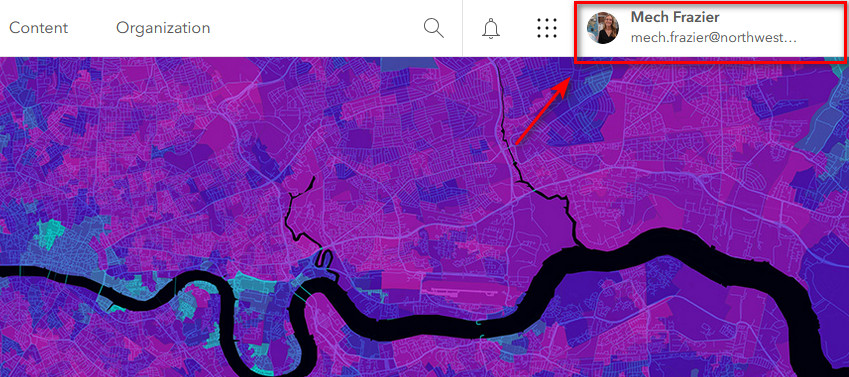
After you're signed in, you should see your name appear in the top right corner:
Step 2
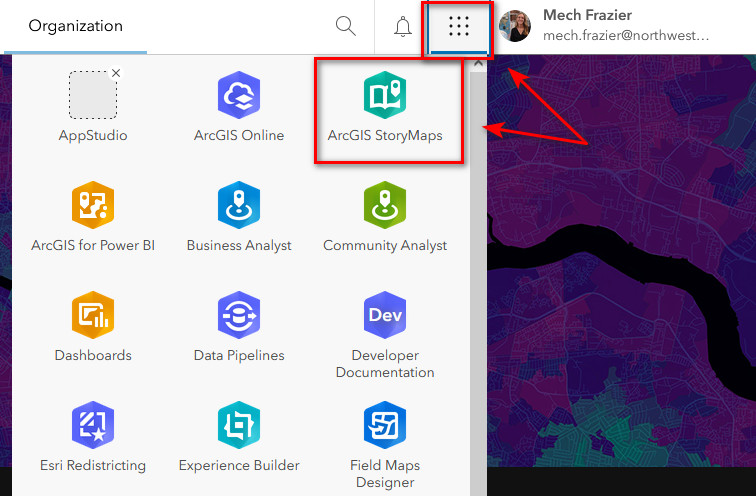
Click on the waffle icon next to your name on the home page. Find and select the ArcGIS StoryMaps application.
Step 3
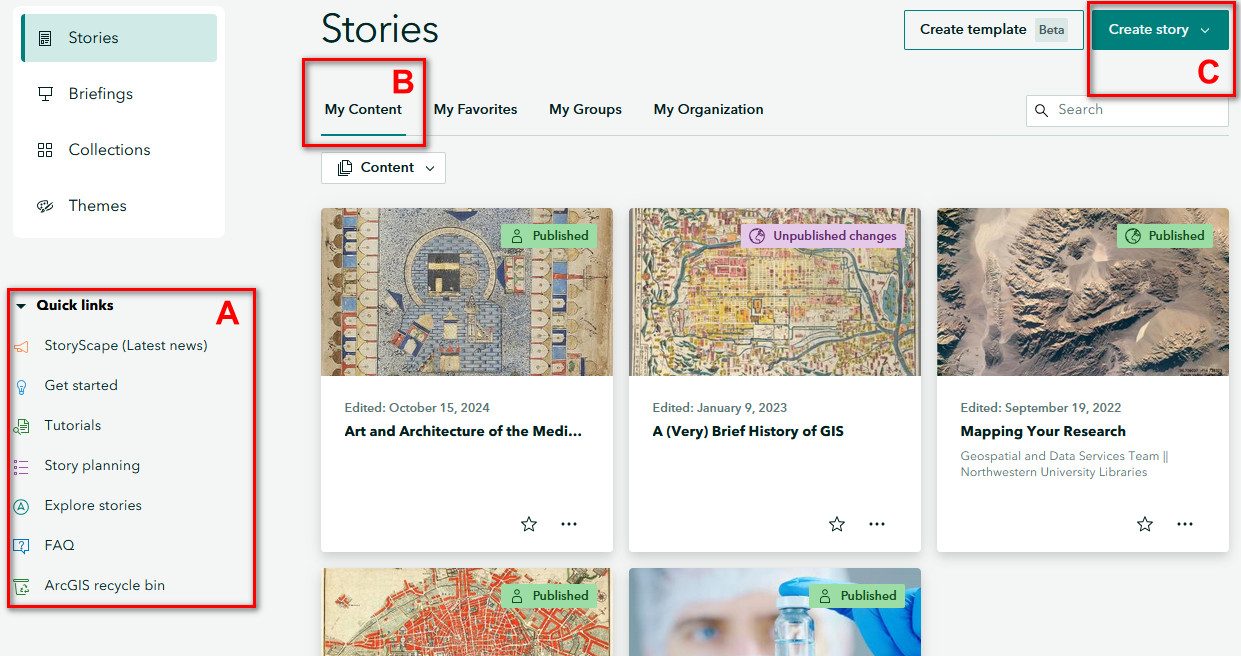
This is the home page of ArcGIS StoryMaps. Let's familiarize ourselves with the layout.
A. Quick Links: You can find all sorts of helpful information here, including tutorials and story planning guides. Keep in mind these resources will cover more than what's required for the class.
- Getting Started- Tutorials
- Story Planning
- Explore Stories
- FAQ
B. My Content: This is where you can access StoryMaps you've created. Check that your StoryMap is published by confirming the icon on the StoryMap card is set to "Published".
C. Create Story: Click the drop-down menu to create your first StoryMap.